
Blog/TV Time
Your TV Time stats, back: hours watched, streaks and badges
TV Time's stats went with the app. Import your TV Time history into TvTick to see your hours watched, your streaks, a watch calendar and 43 badges, all counted from your real dates.
 TvTick··3 min read
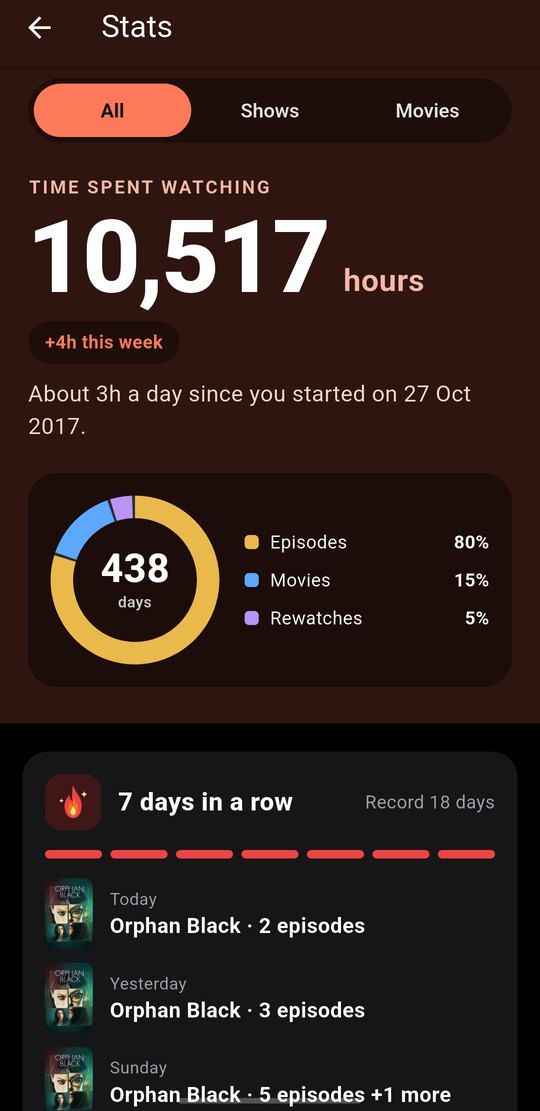
How many hours have you spent watching TV? For years, TV Time answered that. When it closed on 15 July 2026, the numbers went with it. If you saved your TV Time export, you can have them back, counted from the dates you actually watched.
How many hours have I watched?
Import your TV Time history into TvTick and the Stats page tells you straight away. It shows your hours watched, episodes and movies, split into All, Shows and Movies tabs, and compares this year with last year, month by month or across every year.
The hours come from each episode's real length: TvTick uses the show's episode runtime from TMDB, and where a show does not list one, the typical length of its episodes. Rewatches count as time spent too, so a show you have seen three times counts three times.
Your streak and your watch calendar
Because a TV Time export keeps the date you marked each episode, your history arrives day by day, not as one big lump:
- The watch calendar lights up every day you watched, year by year, all the way back through your history. Open any day to see what you watched.
- The streak flame grows the longer you keep a streak going, from a Spark to a Blue fire and beyond. Your record streak is kept, so the one you built in TV Time shows up.
- Your biggest binge is the day you could not stop.
One honest rule: nobody watches more than 12 hours in a day. If you once ticked a whole backlog in TV Time on a single day, the ticks past 12 hours that day count in your totals and keep your streak going, but they do not count toward your biggest binge or light up the calendar.
43 badges, unlocked from your history
The Trophy room has 43 badges, from your first 100 episodes up to 20,000, for movies, finished shows, rewatches, binges, streaks and more, in bronze, silver, gold, platinum and legend. They add up to a watcher level.
Badges count everything you have already watched, so an imported TV Time history unlocks them at once. The ones you are closest to wait under Almost there.
Stats for each show
Open any show and TvTick shows where you are in it: which season, how much is left and the day you will finish at your pace (or at a faster one). You also get your hours, seasons finished and average rating for that show, and a Ratings tab that puts every episode's rating in one coloured grid, season by season.
Compare with friends
Follow friends by their @username and compare watch time, episodes, movies, rewatches, binges, streaks and badges side by side. There is a weekly race for the most hours watched by Sunday night, and you can challenge a friend to a 7-day streak.
What is free and what is Premium?
Free: hours watched, this year against last, your genres, the streak flame, the watch calendar, the Trophy room and watcher level, your favorite characters, the franchises you follow and the weekly race.
With Premium: night owl, most watched, records and deeper movie stats, including the directors and actors you have watched most.
And every December, Wrapped turns the year into a story you can share. It is free too.
How to bring your TV Time numbers back
- Find your TV Time export, usually a ZIP called
gdpr-data.zip, and put it on your Android phone without unzipping it. - In TvTick, open Profile, the settings icon, then Data, and tap Import TV Time data. Add a Trakt export too if you have one.
- Start the import and let it run in the background. Your stats fill in as soon as it finishes.
No export? Here is how to rebuild your history without one.
TvTick is free, with no ads, on Android, and works in any browser. Get it on the Play Store.
Try TvTick. It's free.
Tick off episodes, see what airs next, and get a spoiler-free recap when you come back to a show. No ads.
Keep reading
All posts →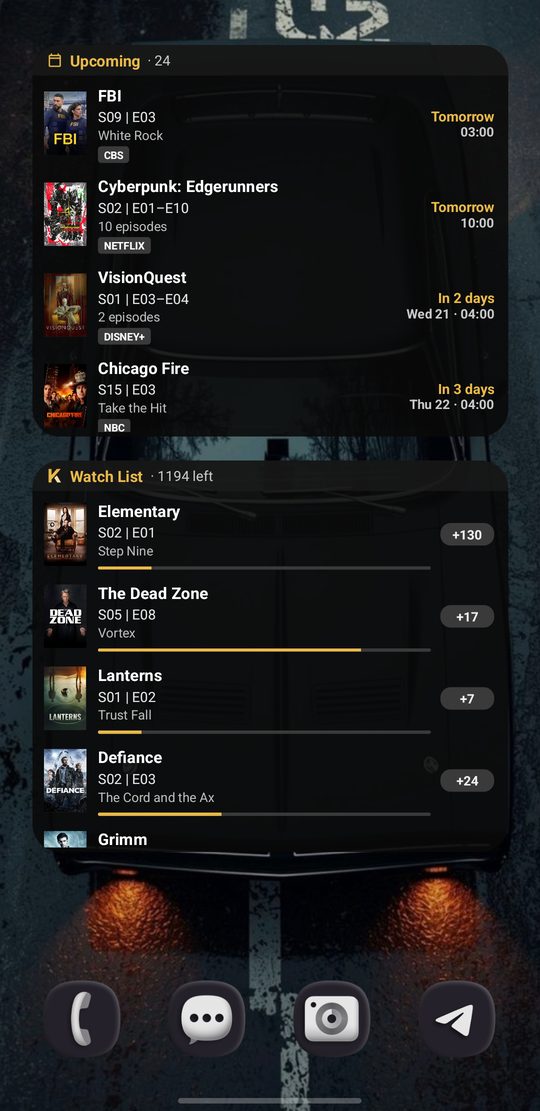
A TV Time alternative for Android, with home-screen widgets
Looking for a TV Time replacement on Android? TvTick puts your next episodes and what airs soon on your home screen, imports your TV Time history, and has no ads.
A TV Time alternative that keeps your comments
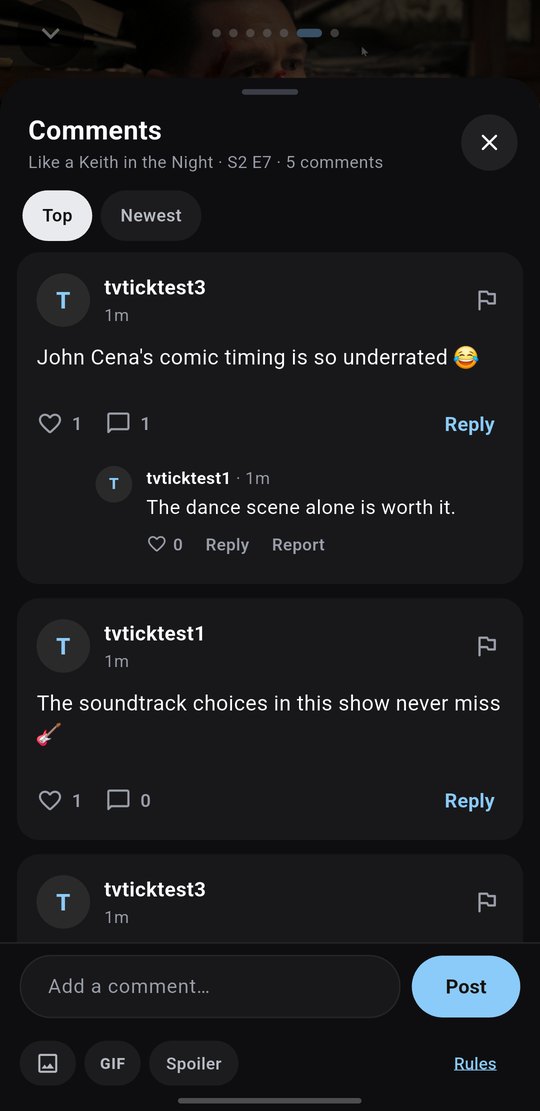
Most TV Time alternatives bring back your watch history and leave your comments behind. TvTick can post the comments you wrote in TV Time, with their original dates.
Didn't save your TV Time export? How to rebuild your history
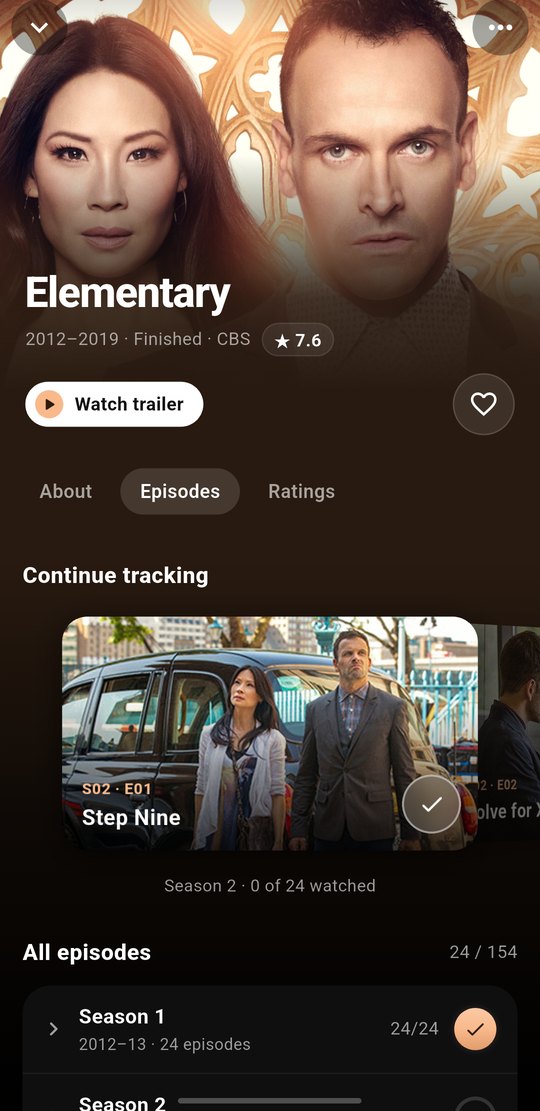
TV Time has closed and can no longer send data exports. If you never saved yours, here is the honest picture and the fastest way to rebuild your watch history.