
Blog/TV Time
A TV Time alternative that keeps your comments
Most TV Time alternatives bring back your watch history and leave your comments behind. TvTick can post the comments you wrote in TV Time, with their original dates.
 TvTick··3 min read
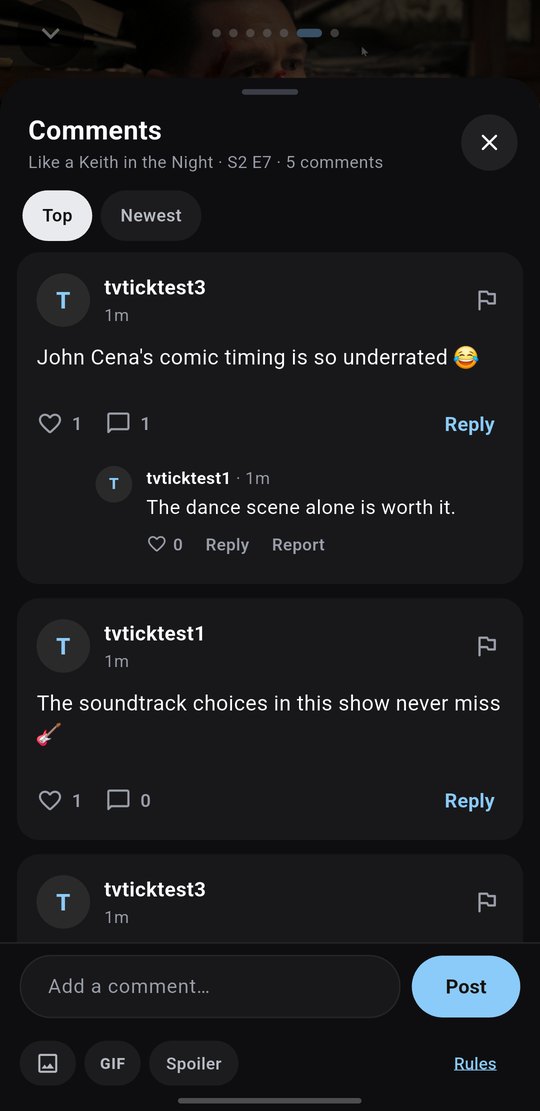
For a lot of people, the best part of TV Time was not the tracking. It was reading what everyone else thought after an episode, and leaving a comment of your own. When TV Time closed on 15 July 2026, those conversations went with it.
If you saved your TV Time export, TvTick can bring back the comments and replies you wrote as well as your watch history. And it has its own comments under every episode, show and movie, so there is somewhere to keep talking.
Can I get my TV Time comments back?
Yes. Your TV Time export (the gdpr-data.zip file) includes the comments you wrote. When you import it into TvTick, you can turn on Post my TV Time comments before the import starts. Each comment you started is then posted on the same episode, show or movie, with its TV Time date and a "from TV Time" label. Your replies come too, in their own time (see below).
A few details worth knowing:
- It is off unless you turn it on. Your watch history comes in either way.
- Everyone can see the comments it posts, like any comment on TvTick.
- Replies wait for their comment. Your export holds your replies but not the comments they answered, which belong to someone else. So each reply waits until that comment is on TvTick, when the person who wrote it imports their own TV Time data, and then goes up under it with its TV Time date. The more TV Time users move over, the more of your old conversations come back.
- Importing again never posts a comment twice, and one you deleted stays deleted.
- You need a username on TvTick first, since every comment shows who wrote it.
What else comes across from TV Time?
The import is mostly about your history. From a TV Time export, TvTick brings in:
- Every episode and movie you marked watched, with the date.
- Rewatches, so an episode you watched twice shows 2x and counts in your stats.
- Your favorite shows and movies.
- Shows you stopped (they go to Stopped watching) and shows you saved for later (they go on your watch list).
- Your favorite character in each episode where you picked one.
What does not come across yet: custom lists, "not interested" shows, custom posters, episode reactions, TV Time's ratings, other people's comments and replies, likes, friends and badges. Our TV Time page keeps that list up to date.
What are comments like on TvTick?
Every episode, show and movie in TvTick has its own comments, with replies, hearts, pictures and GIFs. You can sort by top or newest, and @mention someone so they hear about it.
The part TV Time fans tend to like most: spoilers stay blurred until you have watched the episode. You can read along on the episode you just finished without the comments on later episodes giving anything away.
If someone is unpleasant, you can report or block them at any time.
How to import your TV Time comments
- Put your TV Time ZIP on your Android phone, for example in Downloads. Keep it exactly as it is, without unzipping it.
- Make sure you have set a TvTick username.
- Open Profile, the settings icon, then Data, and tap Import TV Time data.
- Before you start the import, turn on Post my TV Time comments.
- Start the import and let it run. It keeps going in the background, even with the screen off.
The import guide covers the rest, including importing a Trakt export at the same time.
Is TvTick free?
Yes. Tracking, imports, comments, stats and the social features are free, with no ads. TvTick Premium is an optional subscription for extras such as unlimited recaps and auto-tick from Netflix, Plex or Jellyfin.
TvTick is on Android, and works in any browser on a computer or another phone. Get it on the Play Store.
Try TvTick. It's free.
Tick off episodes, see what airs next, and get a spoiler-free recap when you come back to a show. No ads.
Keep reading
All posts →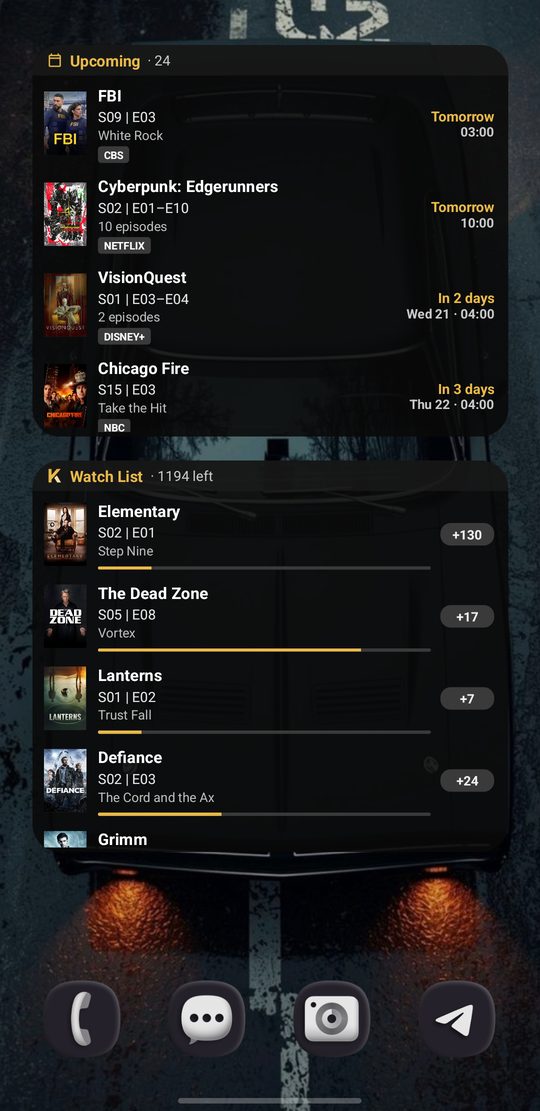
A TV Time alternative for Android, with home-screen widgets
Looking for a TV Time replacement on Android? TvTick puts your next episodes and what airs soon on your home screen, imports your TV Time history, and has no ads.
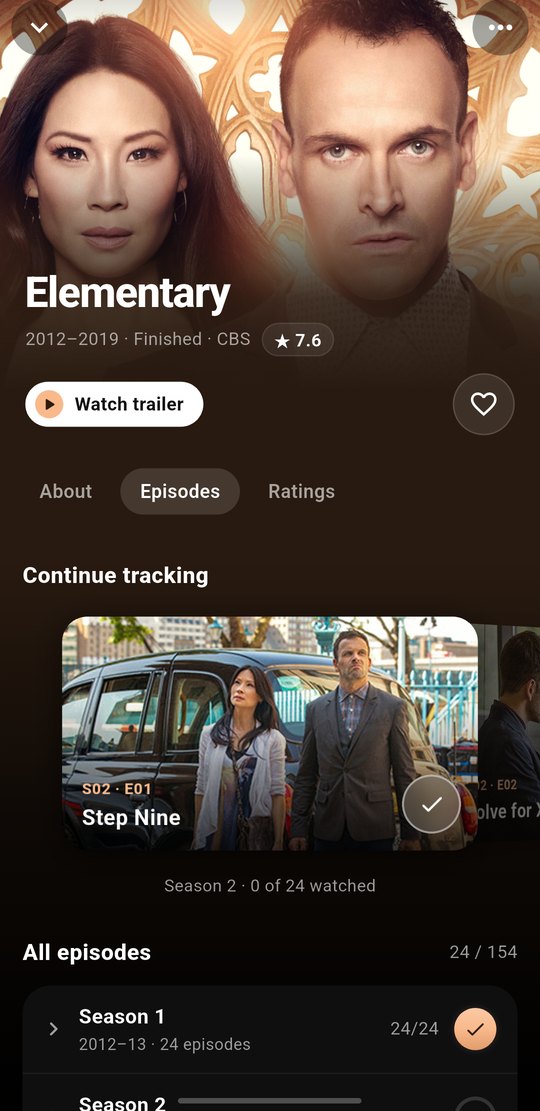
Didn't save your TV Time export? How to rebuild your history
TV Time has closed and can no longer send data exports. If you never saved yours, here is the honest picture and the fastest way to rebuild your watch history.
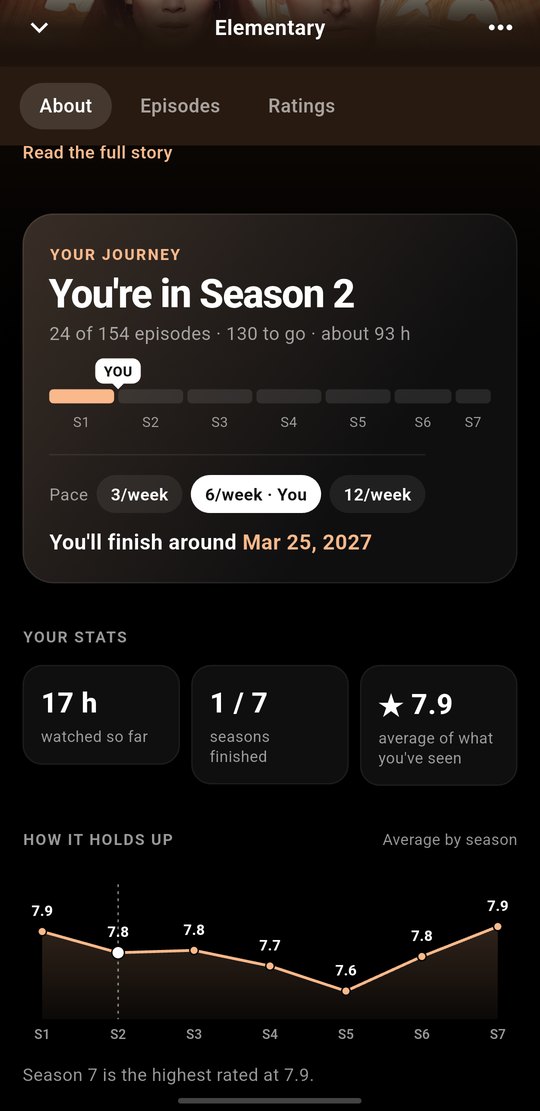
Still have your TV Time ZIP file? Here is what to do with it
TV Time has closed, but the gdpr-data.zip export you saved still holds your whole watch history. Where to find it, how to keep it safe, and how to bring it back to life.