
Blog/Comparisons
TvTick vs Trakt: an honest comparison
TvTick and Trakt both track TV shows and movies, import your history and tick what you watch on Plex or Jellyfin. Here is how they differ on price, phones and features.
 TvTick··4 min read
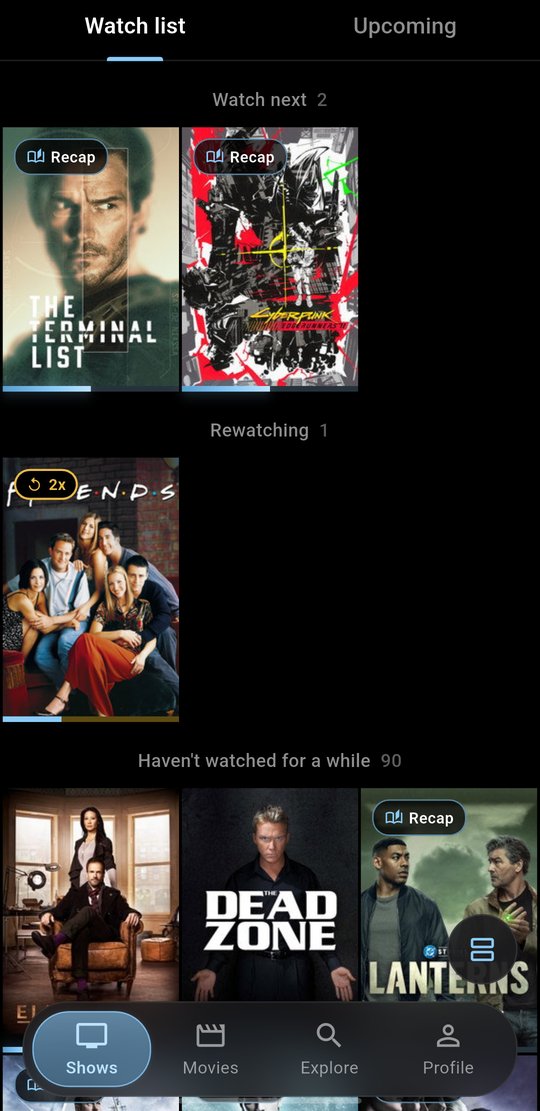
Trakt has been the place many TV trackers sync with for years, and plenty of TV Time users moved there when it closed. TvTick is newer, free and Android-first. If you are choosing between them, this is where each one fits.
We make TvTick. Everything about Trakt below comes from Trakt's own changelog and app store listings, checked on 25 November 2026. Prices and plans change, so check Trakt's pages before you decide.
The short answer
Choose Trakt if you have an iPhone or an Apple TV, use apps built on Trakt, or want your Plex and Jellyfin plays synced without paying. The trade-off: year-in-review stats, rewatch tracking and unlimited lists are part of Trakt VIP, its paid plan.
Choose TvTick if you are on Android or happy in a browser, and want stats, Wrapped, rewatches, lists and comments free, with no ads. The trade-off: there is no iPhone app yet, and auto-tick from Plex or Jellyfin is part of TvTick Premium.
| TvTick | Trakt | |
|---|---|---|
| Free plan | Yes, with no ads | Yes. Its VIP plan lists "no ads anywhere", so expect ads on the free plan. |
| Paid plan | Premium: US$2.99 a month or $19.99 a year | VIP: in-app purchases listed at $5.99 and $59.99 on the US App Store |
| Phones | Android app; any phone in the browser | iPhone and Android apps |
| Web | Yes | Yes |
| TV apps | No | Apple TV |
| Year in review | Wrapped, free | VIP |
| Rewatches | Free | "Rewatch shows and recalculate progress" is VIP |
| Your own lists | As many as you like, free | Unlimited lists are VIP |
| Plex and Jellyfin | Auto-tick with Premium | Plex Sync; Jellyfin sync of one server daily on the free plan, more servers hourly with VIP |
| Imports | TV Time, Trakt, Letterboxd | TV Time, IMDb, Plex, Letterboxd |
| Comments | On every episode, show and movie, spoilers blurred | Not compared here |
What is Trakt?
Trakt is a TV and movie tracker on the web, iPhone and Android, with an Apple TV app. It is also a hub: media centers and many other apps connect to it through its API, so your plays and ticks can flow in from elsewhere. It is free to join, and its VIP plan adds advanced and saved filters, year-in-review and all-time stats, unlimited lists with higher item limits, rewatch tracking and no ads.
What is TvTick?
TvTick is a free TV and movie tracker for Android and the web, with no ads. You tick episodes in one tap or a whole season at once, see what airs next in Upcoming, and get a spoiler-free recap when you come back to a show. Stats, Wrapped, rewatches, your own lists, widgets, comments and exporting your data are all free. Premium is optional and adds unlimited recaps, deeper stats, alerts at a time you pick, auto-tick from Netflix, Plex and Jellyfin, and your own app colour and icon.
Where Trakt is stronger
- Apple devices. Trakt has iPhone and Apple TV apps. TvTick works in an iPhone's browser, but without new-episode alerts or widgets.
- The ecosystem. Many apps and media centers are built on Trakt's API. If you already use one of them, Trakt is the natural home for your history.
- Free media-server sync. Trakt syncs one Jellyfin server daily on its free plan. TvTick's Plex and Jellyfin auto-tick is a Premium feature.
- Track record. Trakt has been around for many years, and a lot of people already have their history there.
Where TvTick is stronger
- More is free. Year-in-review (TvTick's Wrapped), rewatches and unlimited lists are free in TvTick. In Trakt they are part of VIP.
- No ads, on any plan.
- A cheaper paid plan. TvTick Premium is US$2.99 a month or $19.99 a year. Trakt's VIP purchases are listed at $5.99 and $59.99 on the US App Store.
- Comments with spoilers blurred until you have watched the episode, and your TV Time comments can come with you.
- Android touches: home-screen widgets for your next episodes and what airs soon, and a recap of where you left off.
Can I use both?
You can keep both accounts, but they do not sync with each other. A common path is to import your Trakt history into TvTick once and track in TvTick from then on.
How to move from Trakt to TvTick
- Download your export from your Trakt account. TvTick reads the ZIP, or the JSON files inside it.
- Put it on your Android phone.
- In TvTick, open Profile, the settings icon, then Data, and tap Import Trakt data. If you also have a TV Time export, import both together: TvTick merges them into one history, and TV Time's dates win where a title is in both.
Your watched episodes and movies come across with their dates and rewatches. The import guide has the details.
Questions
Is TvTick a Trakt alternative?
Yes. TvTick tracks TV shows and movies, imports your Trakt history with its dates and rewatches, and keeps stats, Wrapped, rewatches and lists free, with no ads. It is on Android and the web.
Is Trakt free?
Trakt is free to join. Its VIP plan adds advanced filters, year-in-review and all-time stats, unlimited lists, rewatch tracking and no ads.
Does TvTick work on iPhone?
In the browser, yes, with the same account: your shows, ticks, stats and friends are all there. There is no iPhone app yet, so new-episode alerts and widgets are Android only.
Can TvTick tick what I watch on Plex or Jellyfin?
Yes, with Premium. Connect your server once in Settings, Watching, Auto-tick, and the episodes and movies you finish on it are ticked, on any TV or phone that plays from it.
Sources
Checked on 25 November 2026. Trakt: changelog, Google Play, App Store. TvTick: features and FAQ, Premium, import guide.
Try TvTick. It's free.
Tick off episodes, see what airs next, and get a spoiler-free recap when you come back to a show. No ads.
Keep reading
All posts →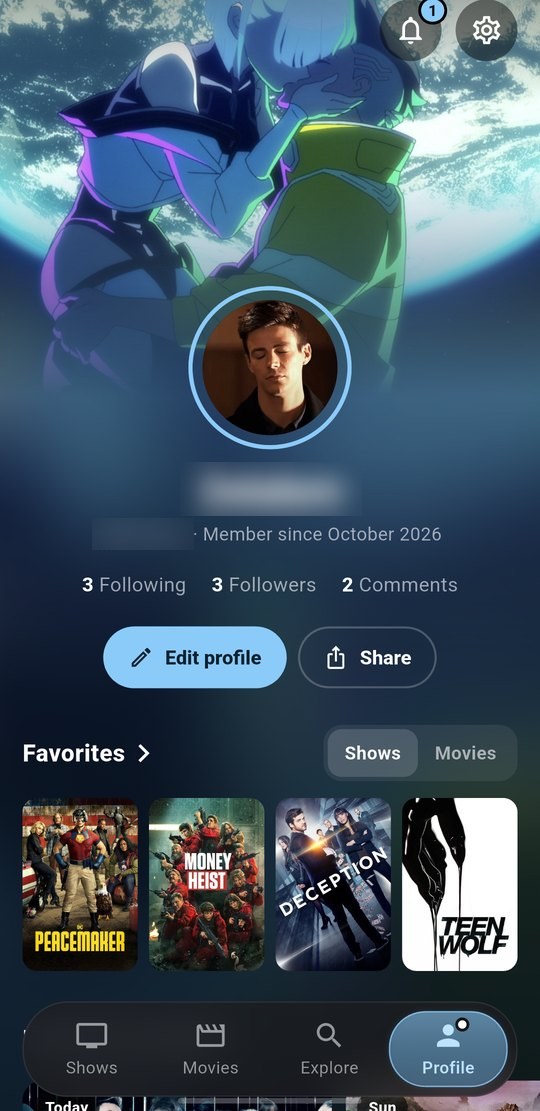
A TV show tracker you can use in your browser
Want to track TV shows on a computer, or on a phone without installing anything? TvTick works in any browser, free and with no ads, on the same account as the app.
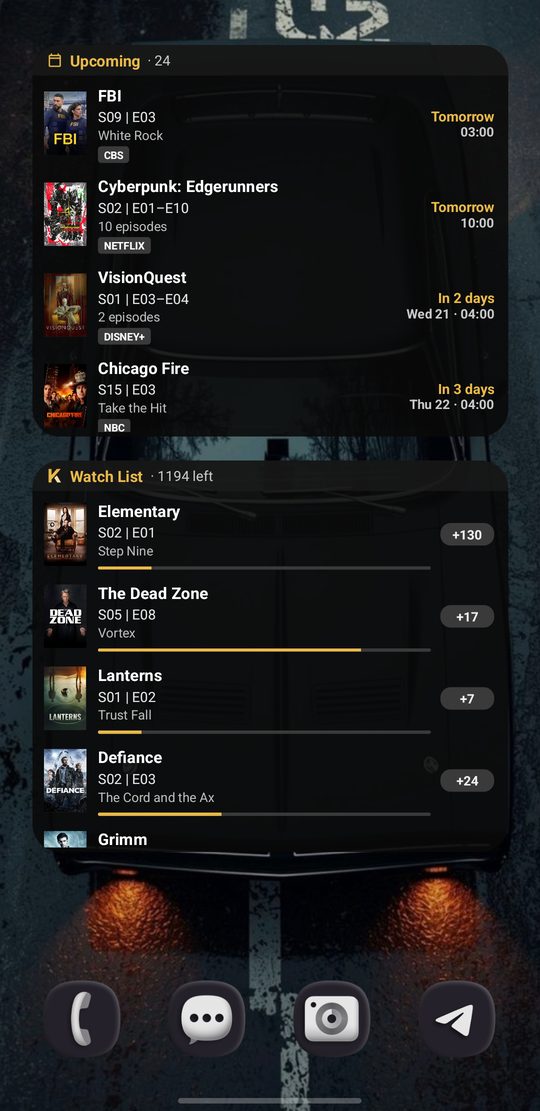
A TV Time alternative for Android, with home-screen widgets
Looking for a TV Time replacement on Android? TvTick puts your next episodes and what airs soon on your home screen, imports your TV Time history, and has no ads.
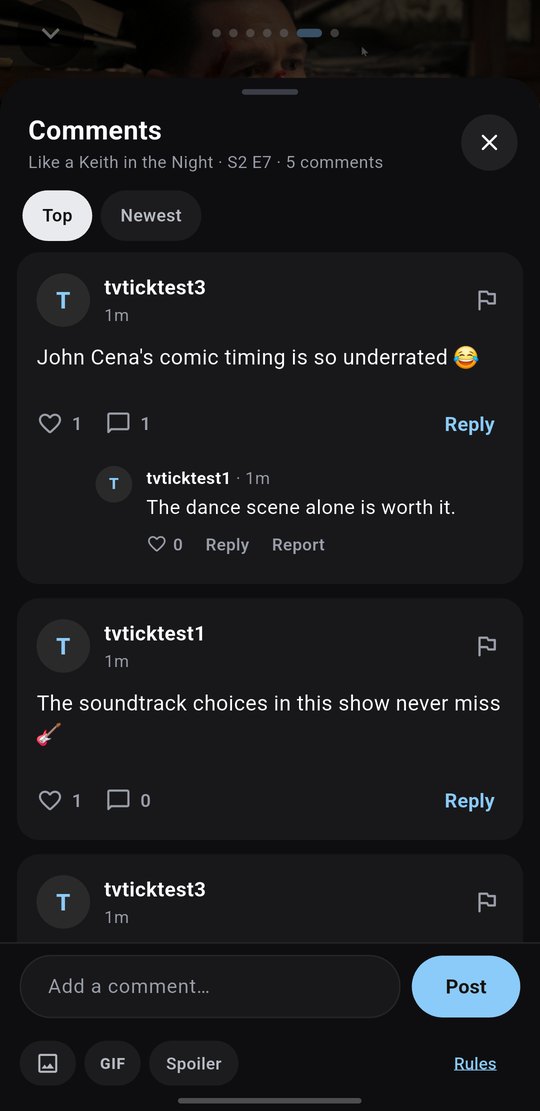
A TV Time alternative that keeps your comments
Most TV Time alternatives bring back your watch history and leave your comments behind. TvTick can post the comments you wrote in TV Time, with their original dates.