
Blog/Guides
A TV show tracker you can use in your browser
Want to track TV shows on a computer, or on a phone without installing anything? TvTick works in any browser, free and with no ads, on the same account as the app.
 TvTick··2 min read
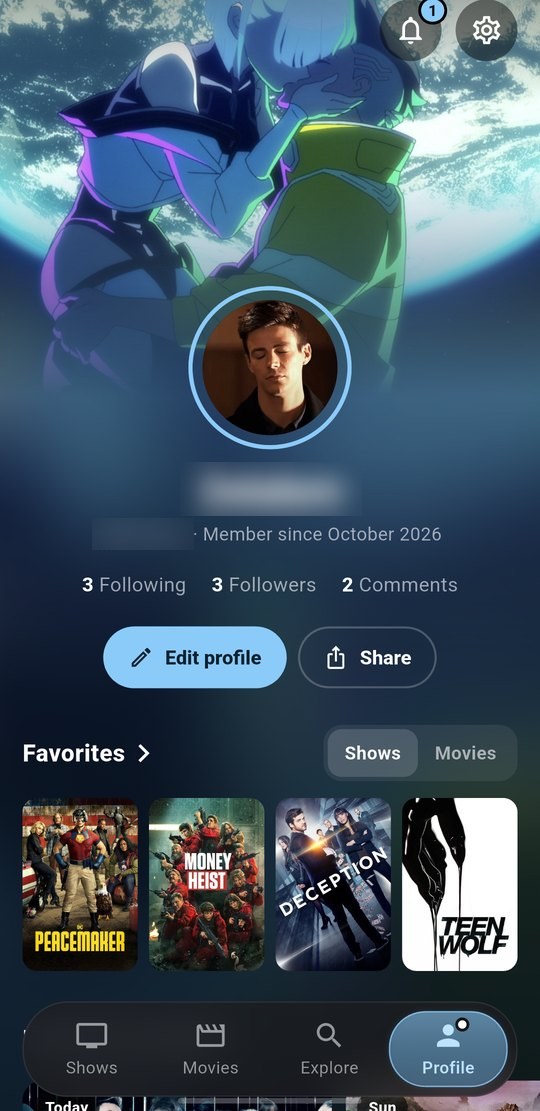
Most TV trackers are phone apps first. That is fine until you are on a work laptop, a Chromebook, an iPhone the app does not support, or you simply do not want another app. TvTick runs in any browser, with your full watch list, stats and friends.
Is there a TV show tracker website?
Yes. TvTick works in the browser at tvtick.app/app, free and with no ads. It is the same TvTick as the Android app, on the same account: your shows, ticks, stats and friends are all there, whichever one you open.
You sign in with your email or with Google. There is nothing to install.
What can I do in the browser?
- Tick episodes and movies as you watch, one at a time or a whole season in one tap, with Undo.
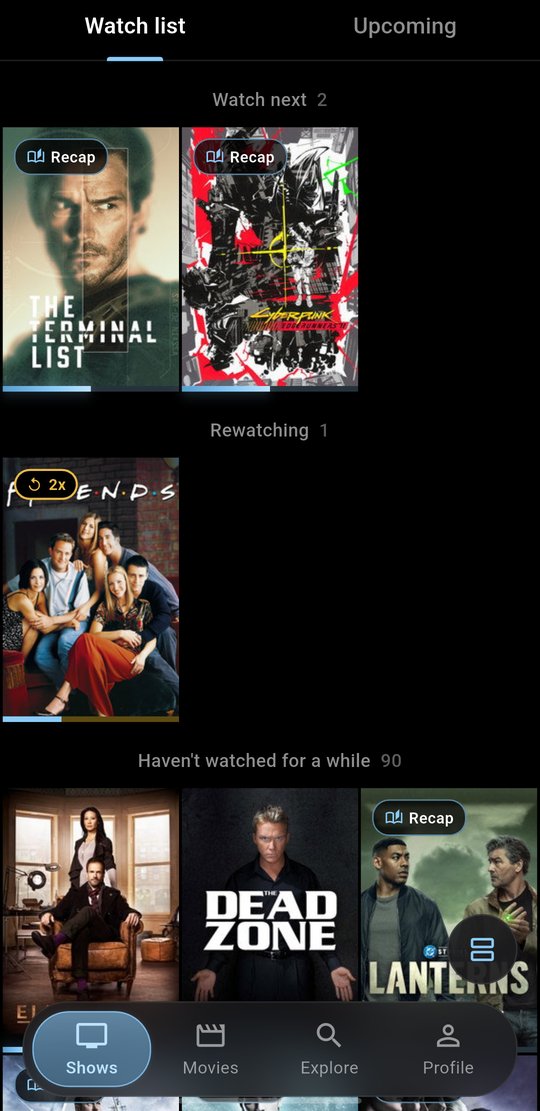
- See what is next on your watch list, and what airs soon in Upcoming.
- Find shows and movies: what is trending this week, picks for you, and where to watch them in your country.
- Check your stats: hours watched, your streak and watch calendar, and your badges.
- Follow friends and compare what you watch.
- Read and write comments on episodes, shows and movies, with spoilers blurred until you have watched them.
What is only in the Android app?
A few things need a phone app, so they are in the Android app only:
- New-episode alerts, the quiet notification once an episode has aired.
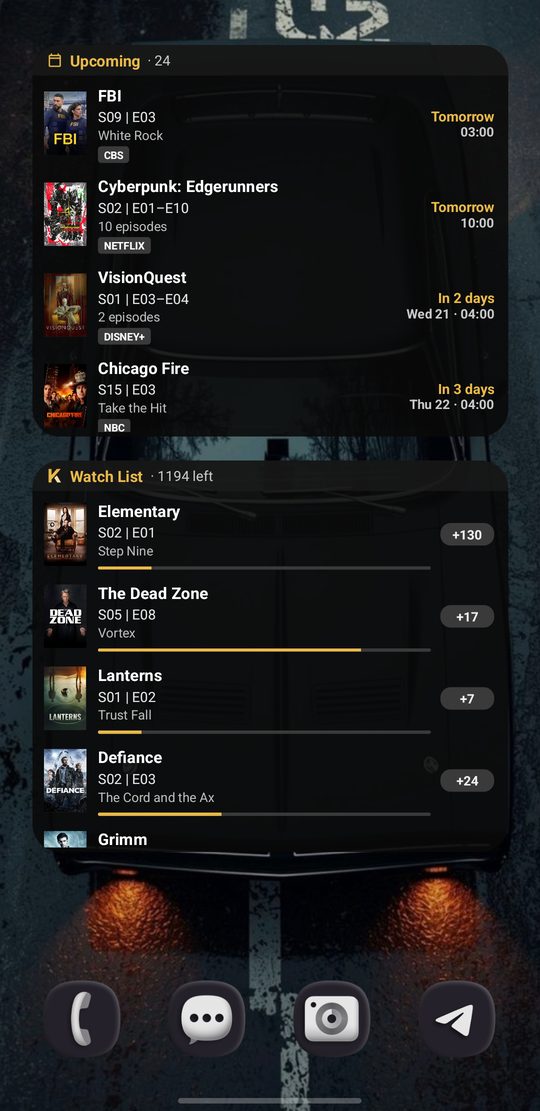
- Home-screen widgets for your next episodes and what airs soon.
- Buying Premium in Google Play. You can also subscribe on the Premium page in a browser.
Who is the browser version for?
People with an iPhone. TvTick has no iPhone app yet. In Safari or any other browser, you can use it today with the same account an Android user has.
People who track on a computer. If you watch on a laptop or a TV and keep a laptop nearby, ticking in a browser tab is quicker than reaching for your phone.
People who use both. Tick on your phone on the couch and look at your stats on a big screen later. Everything stays in step because it is one account.
Can I add it to my home screen?
Most phone browsers let you add a website to your home screen so it opens like an app. In Safari on an iPhone, tap the share button, then Add to Home Screen. In Chrome on Android, open the menu and tap Add to Home screen. It opens TvTick in one tap, though alerts and widgets still need the Android app.
Is it free?
Yes. Tracking, Upcoming, stats, Wrapped, lists, rewatches, comments and exporting your data are free, with no ads, in the browser and in the app. Premium is optional, at US$2.99 a month or $19.99 a year, for extras such as unlimited recaps and auto-tick from Plex or Jellyfin.
Coming from another tracker?
TvTick can import your history from a TV Time export, a Trakt export or a Letterboxd export, with your dates and rewatches. The import guide has the steps, and if you are coming from TV Time, our TV Time page explains what comes across.
Open TvTick in your browser, or get the Android app on the Play Store.
Try TvTick. It's free.
Tick off episodes, see what airs next, and get a spoiler-free recap when you come back to a show. No ads.
Keep reading
All posts →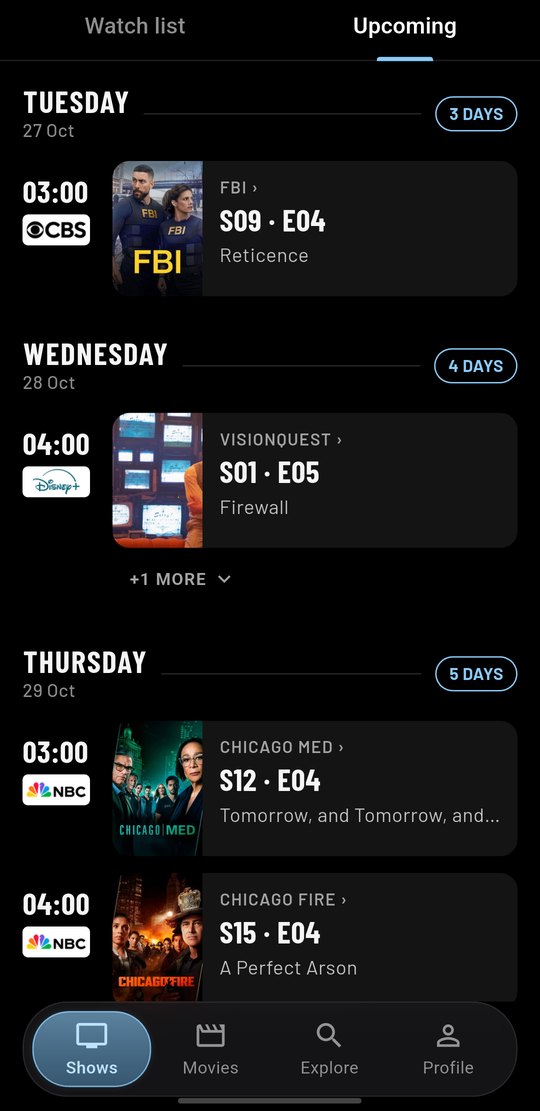
How to keep track of the TV shows you watch (and never lose your place)
Too many shows, too many services, and no idea which episode you were on? A simple system for tracking what you watch, what airs next and where you left off.
TvTick vs Trakt: an honest comparison
TvTick and Trakt both track TV shows and movies, import your history and tick what you watch on Plex or Jellyfin. Here is how they differ on price, phones and features.
A TV Time alternative for Android, with home-screen widgets
Looking for a TV Time replacement on Android? TvTick puts your next episodes and what airs soon on your home screen, imports your TV Time history, and has no ads.