
Blog/Guides
How to catch up on a TV show without rewatching it
A new season is out and you cannot remember how the last one ended. Ways to catch up on a TV show fast, from recaps that stop where you stopped to knowing exactly which episode you were on.
 TvTick··3 min read
A show you loved comes back after two years. You remember the main characters, roughly. You do not remember who betrayed whom, why everyone is in a different city, or whether you even finished the last season. Rewatching all of it would take a month. Here is how to catch up in minutes instead.
Step 1: Find out where you actually stopped
Before you catch up, know what you are catching up on. "I think I finished season 2" is how people end up watching a finale with no idea how they got there, or skipping three episodes they never saw.
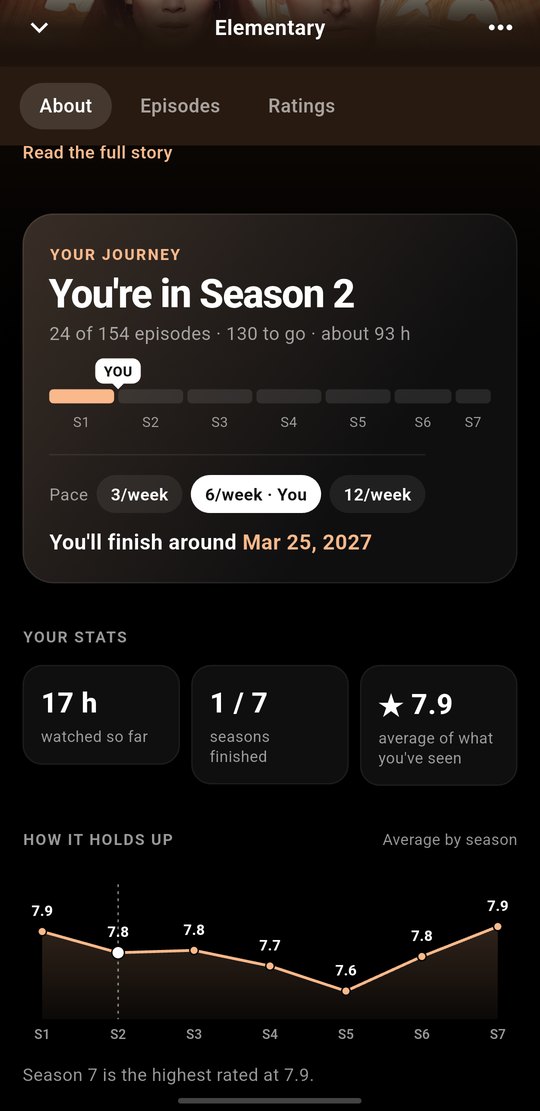
If you track what you watch, this is already answered: your tracker shows the last episode you ticked and the next one to watch. In TvTick, every show tells you which season you are in, how much is left, and the next episode, and the shows you have drifted away from sit together on your watch list so they are easy to spot.
If you do not track, your streaming service's "Continue watching" row is the next best clue, though it only knows what you watched on that service.
Step 2: Get a recap that stops where you stopped
Most recaps online are written for people who watched everything. They cover the whole season, finale twist included, which is a problem if you stopped three episodes before the end.
A good catch-up recap does two things:
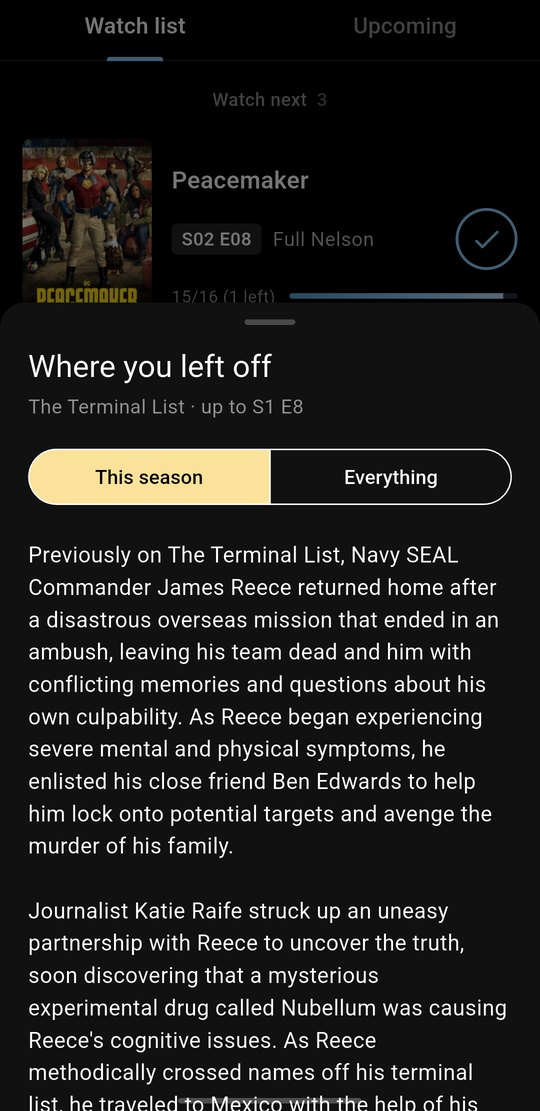
- It covers only what you have seen, so the episodes you have not watched yet are still a surprise.
- It matches how far back you need to go: the season you are in, the one before, or the whole story so far.
That is what TvTick's recap does. On a show you have drifted away from, it offers a recap of this season, the last season, or the whole story so far, written up to your last watched episode and no further. You read it in a minute or two and press play on the next episode.
Free accounts get one recap a month. Premium makes them unlimited. You can turn recaps off for one show, or for all of them.
Step 3: Rewatch only what matters
Sometimes a recap is not enough: a mystery show where small details pay off, or a finale you only half remember. Instead of rewatching everything, pick:
- The last episode of the previous season. It sets up where the new season starts.
- The episode where things changed. For many shows that is the midseason turn, not the finale.
- The fan favorite. In TvTick, each show's Ratings tab puts every episode's rating in one grid, and the fan favorite episode is one tap away. The highest-rated episodes are often the ones the story depends on.
If you rewatch, tick it as a rewatch. TvTick keeps your place in the rewatch apart from your first time through, and counts the hours in your stats.
Step 4: Know when the next episode lands
Once you are caught up, the worst outcome is falling behind again. Add the show to your watch list and let your tracker tell you when the next episode airs. TvTick's Upcoming list shows the day, the time and where it airs for everything you follow, and sends a quiet notification once an episode has actually aired, at the right time where you live.
Avoiding spoilers while you catch up
- Stay out of comment sections for episodes you have not seen. On TvTick, comments on an episode stay blurred until you have watched it, so you can read along on the one you just finished.
- Hide episode pictures if thumbnails give too much away. TvTick blurs the picture of an episode you have not watched until you tap it.
- Search carefully. Typing a character's name into a search engine is a fast way to learn they die in season 4.
The short version
- Check which episode you are really on.
- Read a recap that stops where you stopped.
- Rewatch only the episodes that matter.
- Let Upcoming tell you when the next one lands.
TvTick does all four, free, with no ads. Get it on the Play Store or open it in your browser.
Try TvTick. It's free.
Tick off episodes, see what airs next, and get a spoiler-free recap when you come back to a show. No ads.
Keep reading
All posts →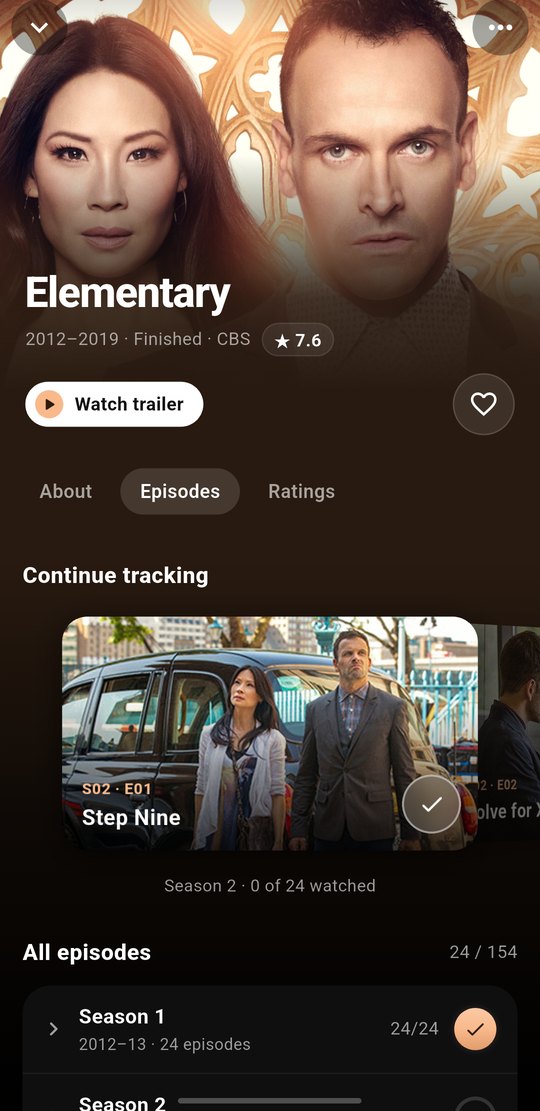
Track what you watch on Plex automatically
Want your Plex watch history in a TV tracker without ticking every episode by hand? TvTick ticks the episodes and movies you finish on your Plex server, on any TV or phone.
Free TV show tracker template for Google Sheets and Excel
A free TV show tracker spreadsheet you can download and open in Google Sheets or Excel, with progress worked out for you, plus how to set it up and when an app does it better.
A TV show tracker you can use in your browser
Want to track TV shows on a computer, or on a phone without installing anything? TvTick works in any browser, free and with no ads, on the same account as the app.